Once the candidate has completed the AI phone call, you can view the candidate's report by clicking on the Submitted or Evaluated tab:

- You can see the details of all the candidate who has completed the AI phone screening call, along with other details like their email id, when the session was completed, how many calls are attempted for the candidate, recruiter who has invited the candidate, score and option to directly shortlist or disqualify.
- Click on Response to review the report

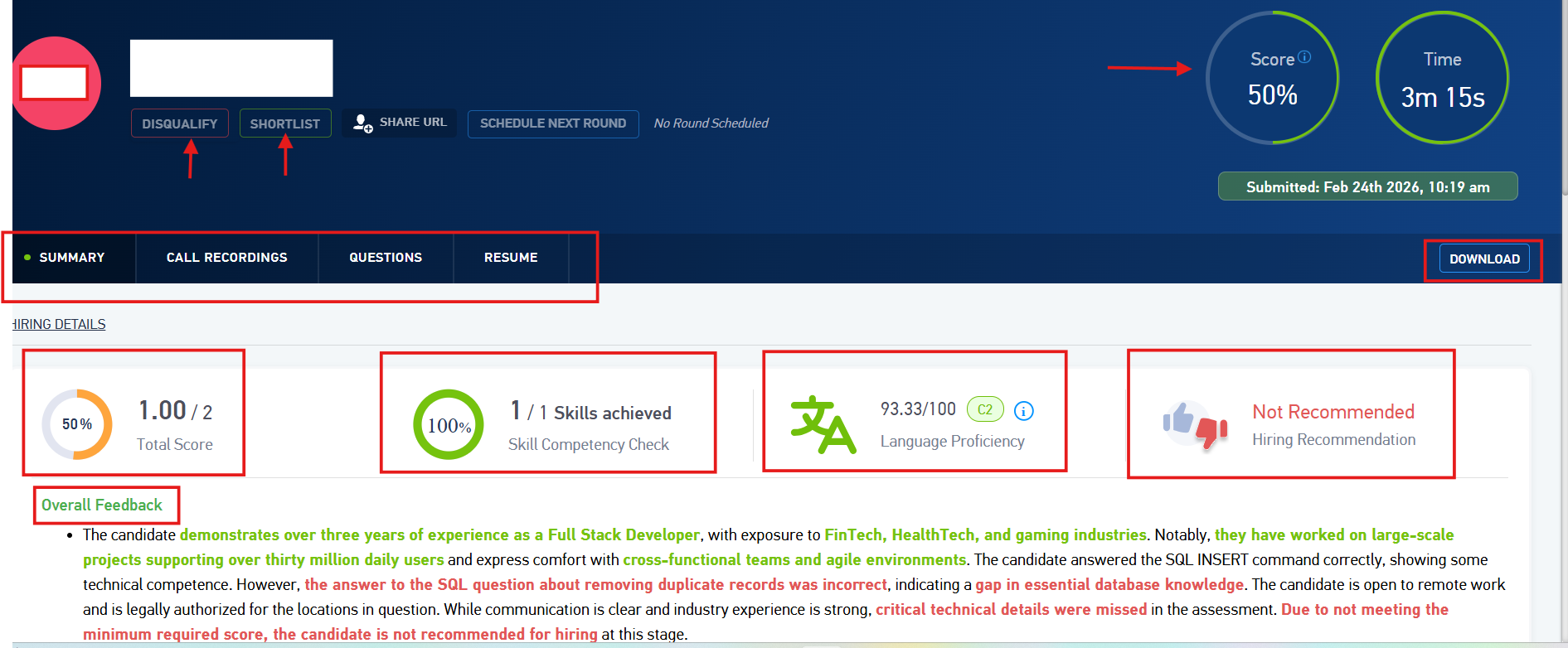
1. Summary:
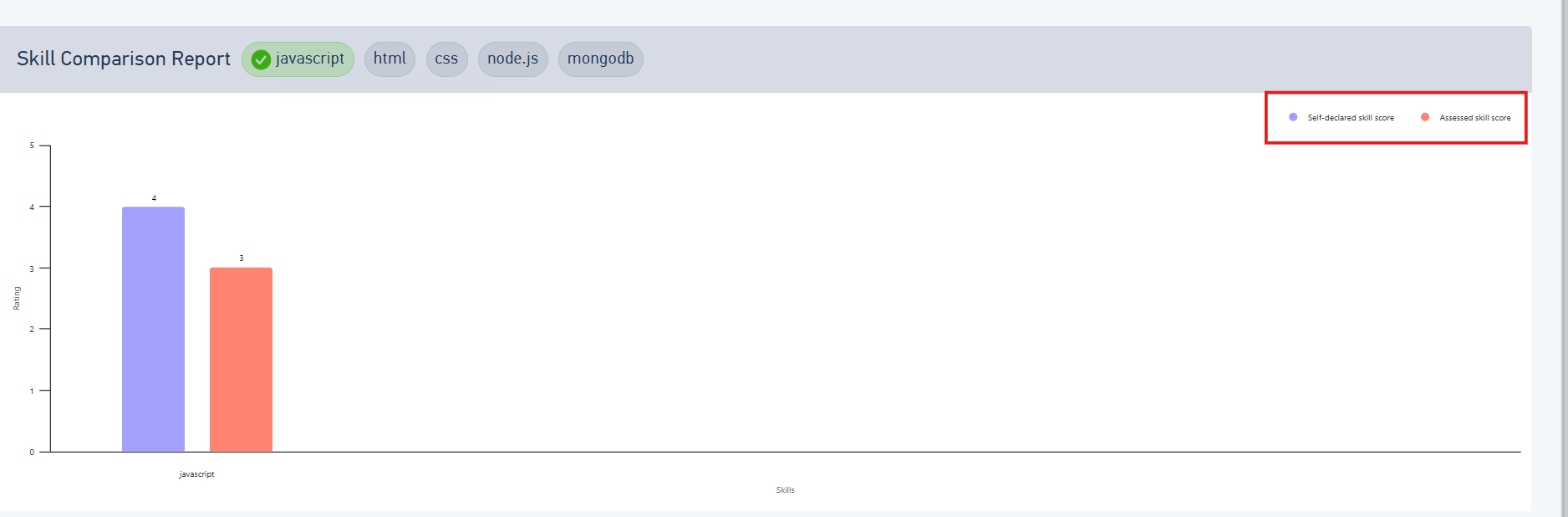
- . It also shows the skill comparison report on scrolling down.

2. Call recording:
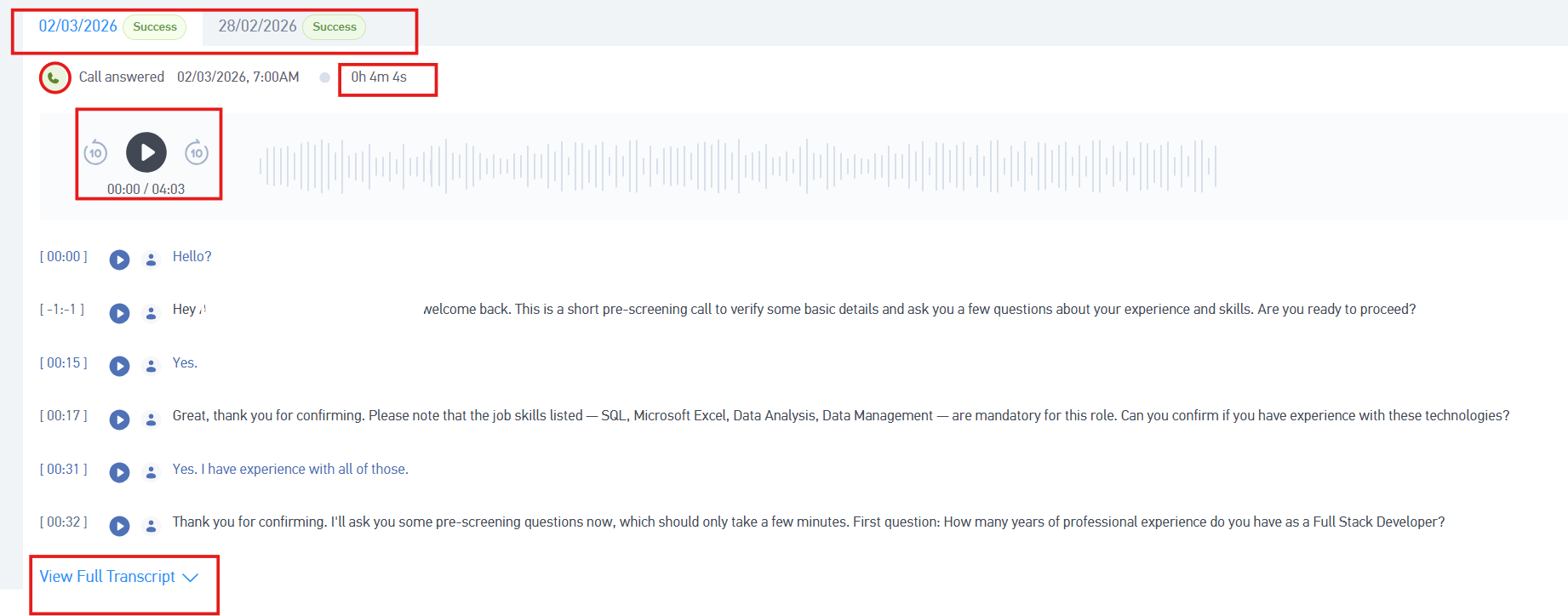
- You will be able to listen to the complete conversation between the users and the bot by playing the recording.
- At the top, you will be able to see the date on which the calls were attempted.
- Below that, you will be able to view the call time and the total duration of the conversation.
- The complete transcript will also be available for all the calls.
3. Questions
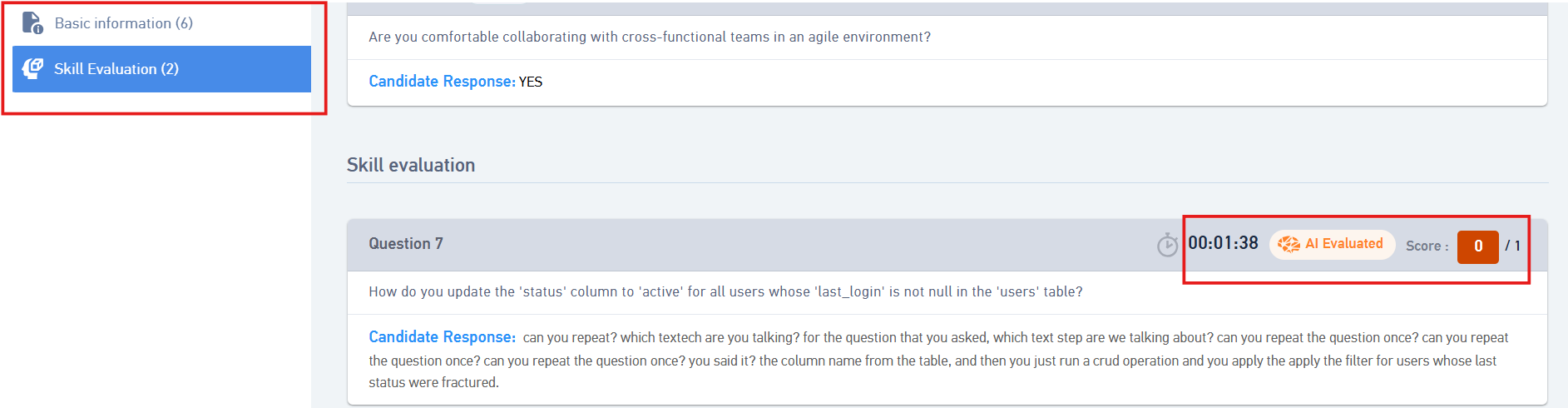
- You can see all the questions asked to the candidate and their response to it.
- You can also see the marks allotted to the candidate on the right end of each question. for the skill evaluation questions.
Was this article helpful?
That’s Great!
Thank you for your feedback
Sorry! We couldn't be helpful
Thank you for your feedback
Feedback sent
We appreciate your effort and will try to fix the article