Once you have filled the "Summary" and "Added the questions" of the connect, as shown in the previous. It is required to Configure the session and Invite the candidates.
1. Basic Settings:
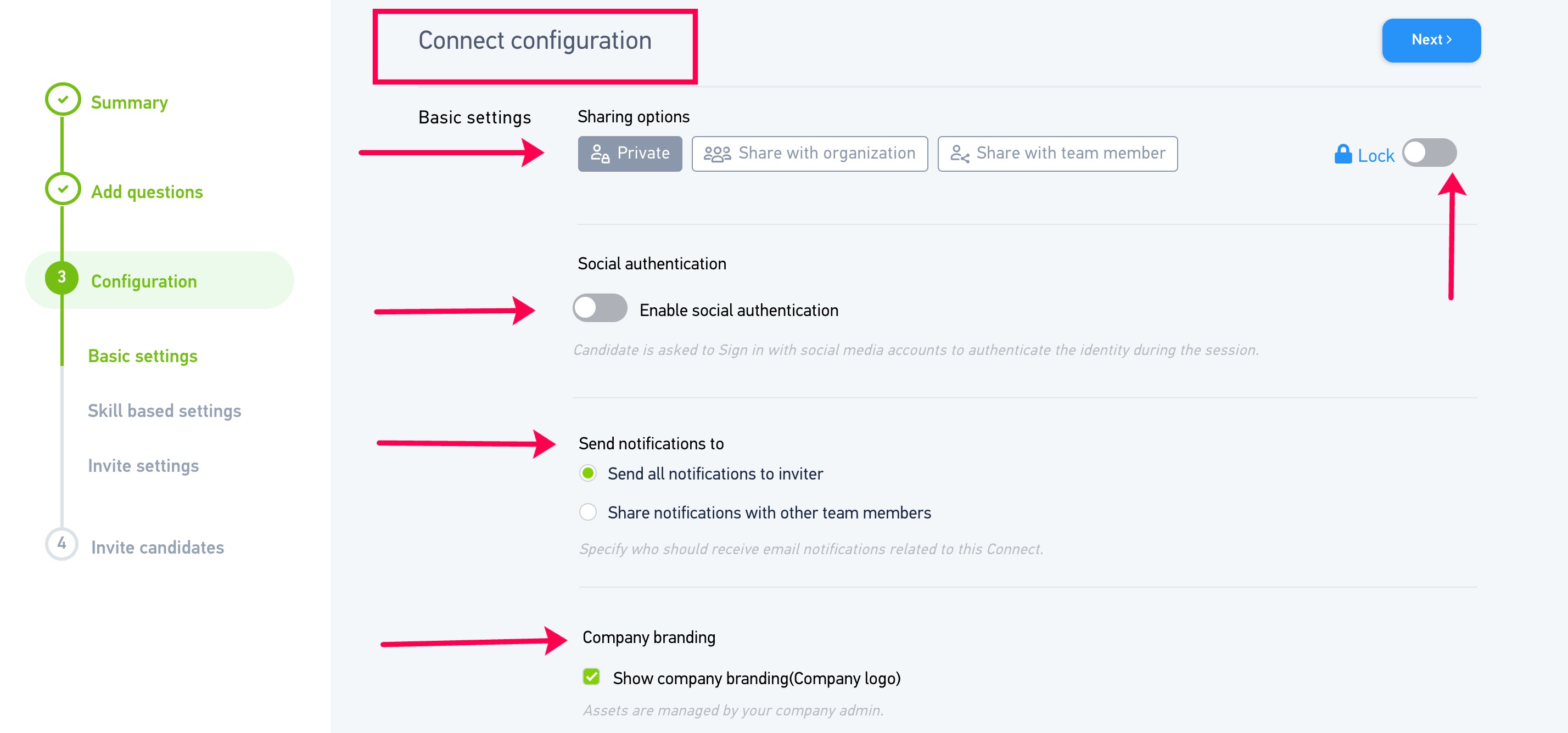
- Sharing options - The session can be kept private so as no one can tamper with the configuration. It can also be shared with the whole organization or with specific team members.
- Social Authentication: Not required for AI call recruiter, therefore can be skip.
- Send Notifications to - You can choose the people who should get notifications related to this connect. If you choose the first option - "Send all notification to inviter", only the recruiter who has invited the candidate for the session will receive the notifications. You can also choose the second option - "Send notifications with other team members" if you wish others should also get the notifications related to the connect session.
- Company Branding - Not required for AI call recruiter, therefore can be skip.
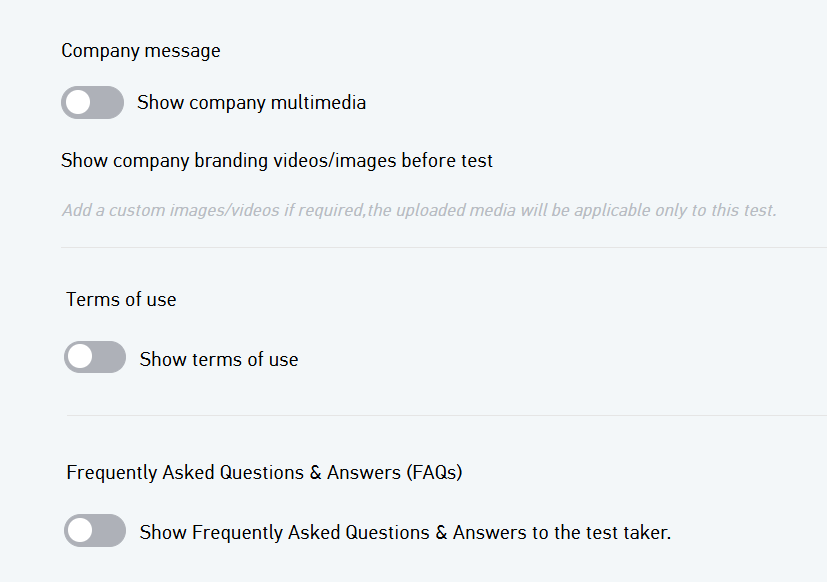
- Company message: Not required for AI call recruiter, therefore can be skip..
- Terms of use: Not required for AI call recruiter, therefore can be skip.
- FAQs : Not required for AI call recruiter, therefore can be skip.
2. Skill based settings:
Note: Adding skills is optional in connect session.
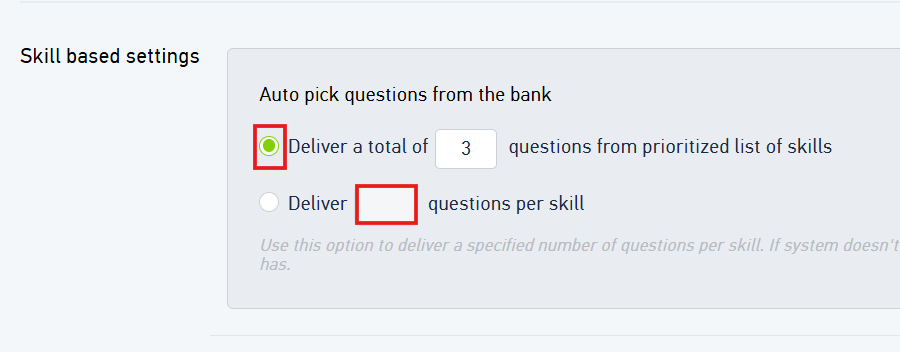
- Auto pick questions from the bank - You can select the first option to choose the total number of questions you wish to ask the candidate and the bot will prioritize the skills, divide the questions equally and ask the same to the candidate OR you can choose the second option to explicitly specify the number of questions of each skill that you wish to be asked to the candidate.
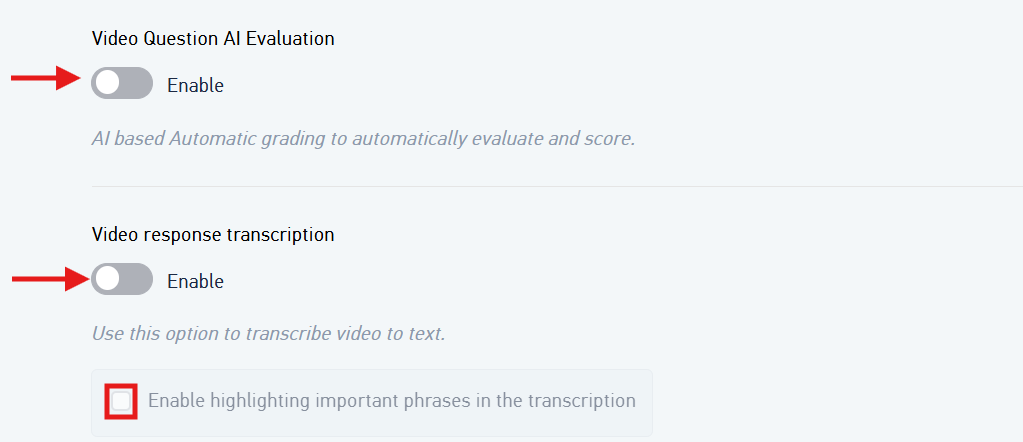
- Video Question AI Evaluation - Not required for AI call recruiter, therefore can be skip.
- Video response transcription - Not required for AI call recruiter, therefore can be skip.

- Cutoff score - You can set up a cutoff score and any candidate scoring below the cutoff percentage will be automatically disqualified.
3. Invite settings:
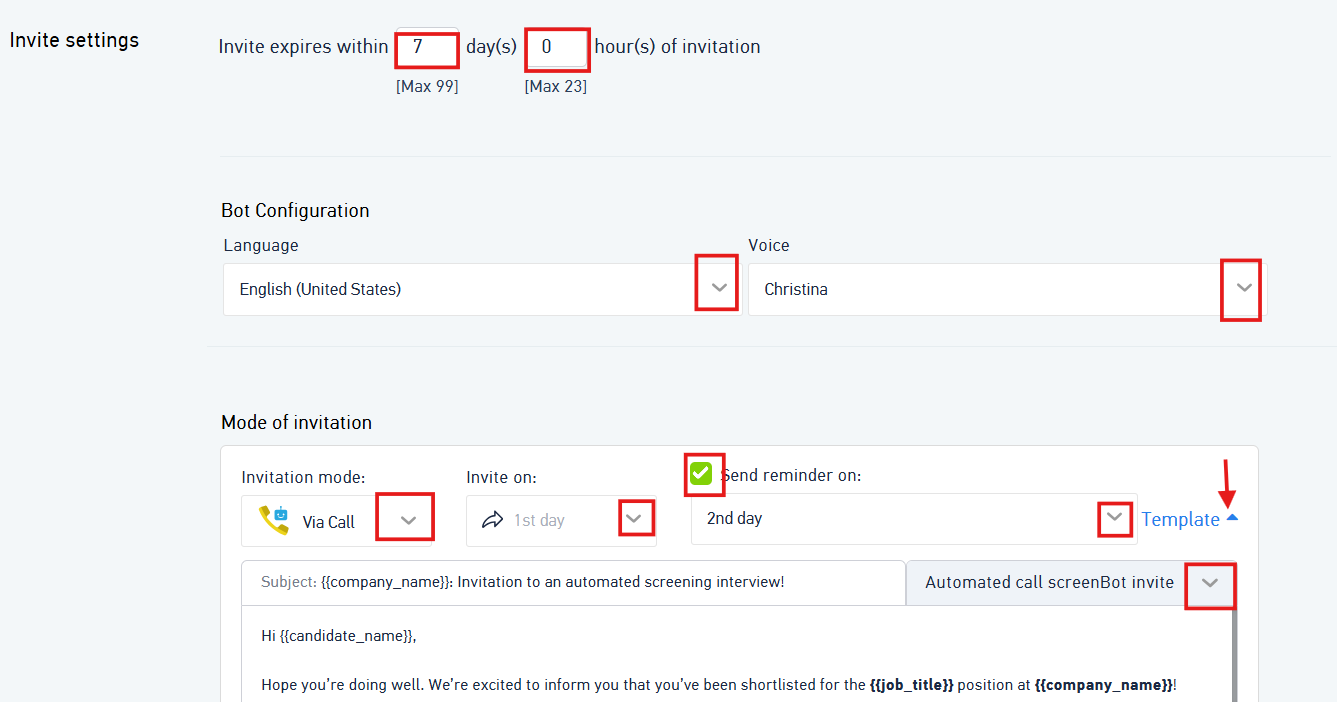
- Invite Expiry : If you want the bot to stop calling the candidates after "n" number of days, mention the no. of days in the Invite Expiry settings.
- Bot Configuration : Select the language and Voice of the recruiter (Male/Female)
- Mode of invitation : Select the invitation mode as Via call
- You can select the invite on day and configure the reminder emails by selecting the appropriate template. By default, it will take glider default template, however you can customize the same as per your requirement.
- Once done click on Next and then Click on Finish.
For Inviting the candidates, follow this steps.
Was this article helpful?
That’s Great!
Thank you for your feedback
Sorry! We couldn't be helpful
Thank you for your feedback
Feedback sent
We appreciate your effort and will try to fix the article