Click on the invite more option for the connect you created then click on Invite connect. As shown in the image.

Inviting candidates manually
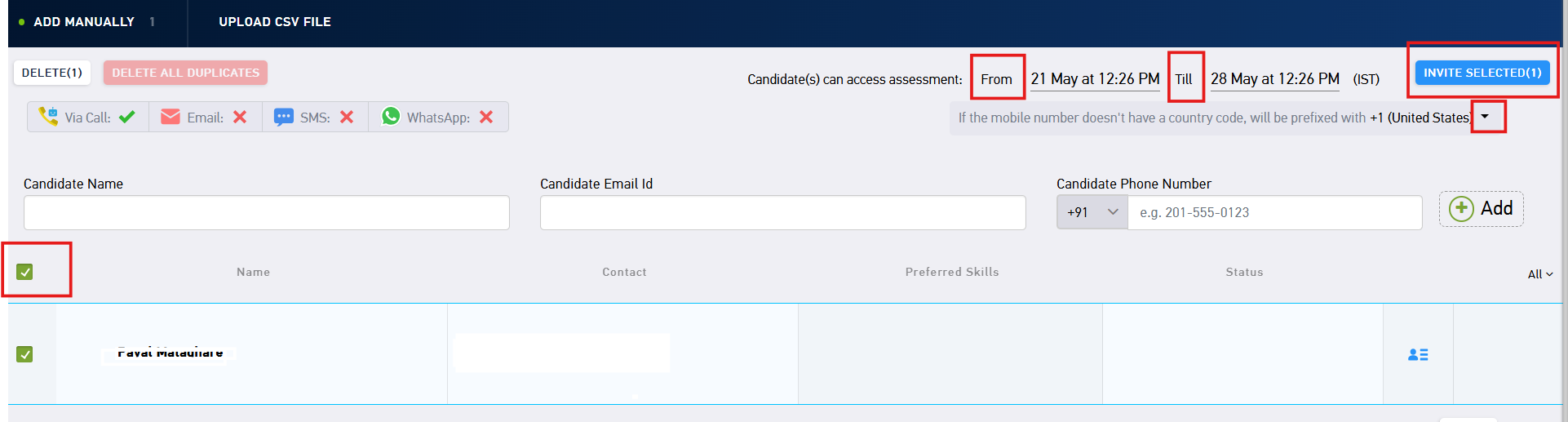
- Enter the candidate name, email address and the phone number with the appropriate country code.
- Click on Add

- Select the candidates
- You can set the start date and the end date from the top
- Click on invite selected
Inviting candidates in Bulk
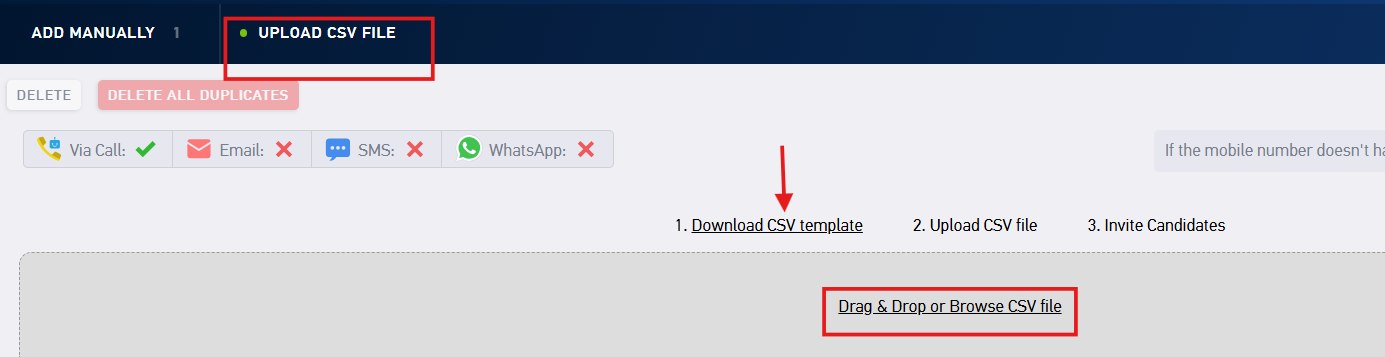
- Click on upload CSV file
- Download the CSV template
- Enter the details (name, email, phone number - with country code)
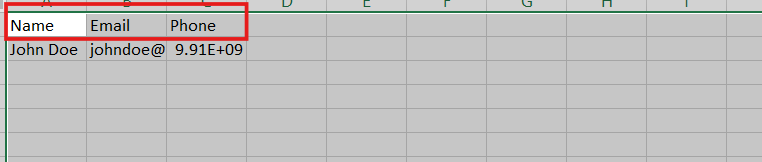
- Once done, save it as a CSV file and upload on the platform.
- Then, select the candidates - As shown above
- You can set the start date and the end date from the top
- Click on invite selected
- Click on sent
You have successfully invited the candidates.
Was this article helpful?
That’s Great!
Thank you for your feedback
Sorry! We couldn't be helpful
Thank you for your feedback
Feedback sent
We appreciate your effort and will try to fix the article