This guide explains how to uninstall Glider Safe Browser (GSB) from a Windows system.
Before uninstalling Glider Safe Browser (GSB), ensure that:
All active AI Interview / Live Interview / Assessments have been completed.
GSB is completely closed.
You have administrator privileges on the system.
Any unsaved work in other applications has been saved.
Press Windows Key + R.
Type
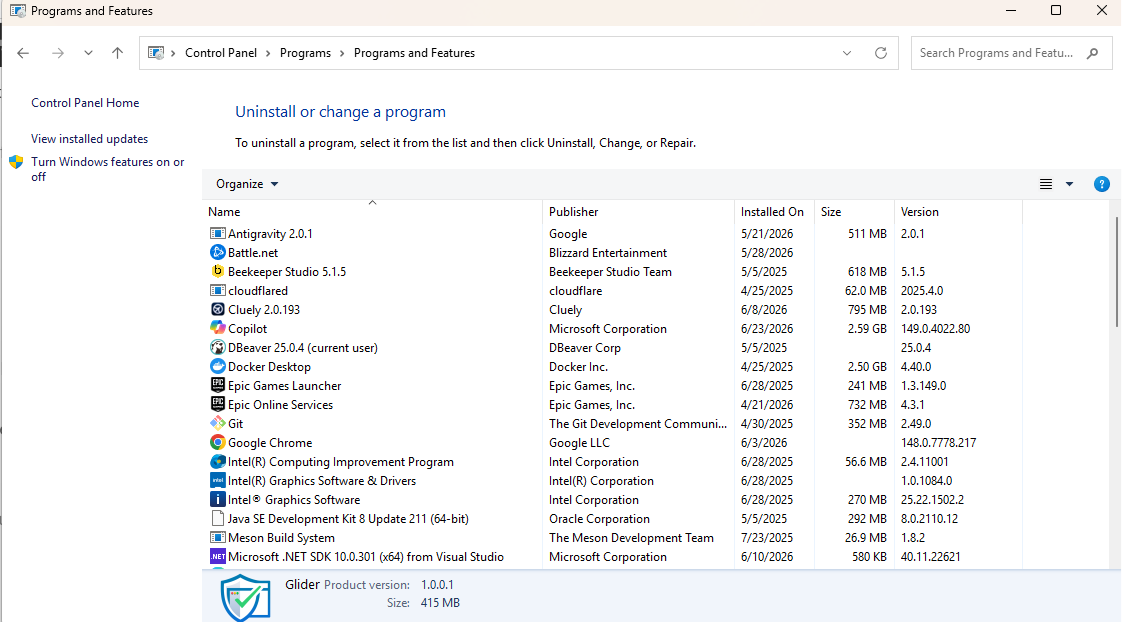
controland press Enter.Open Programs → Programs and Features.
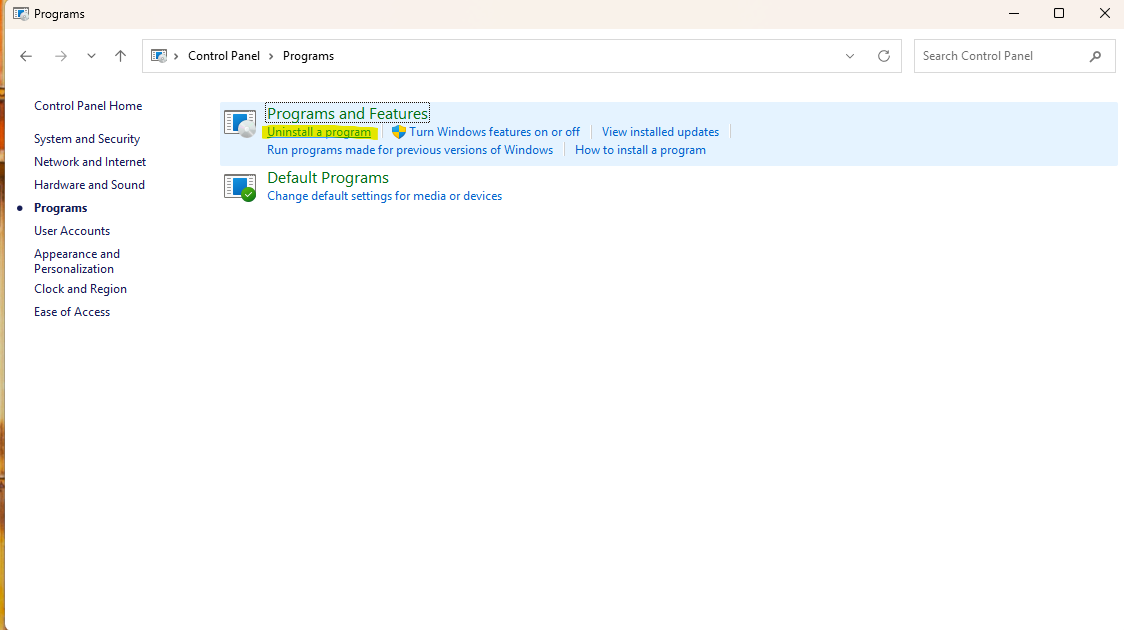
In the list of installed applications:
Find Glider Safe Browser (GSB).
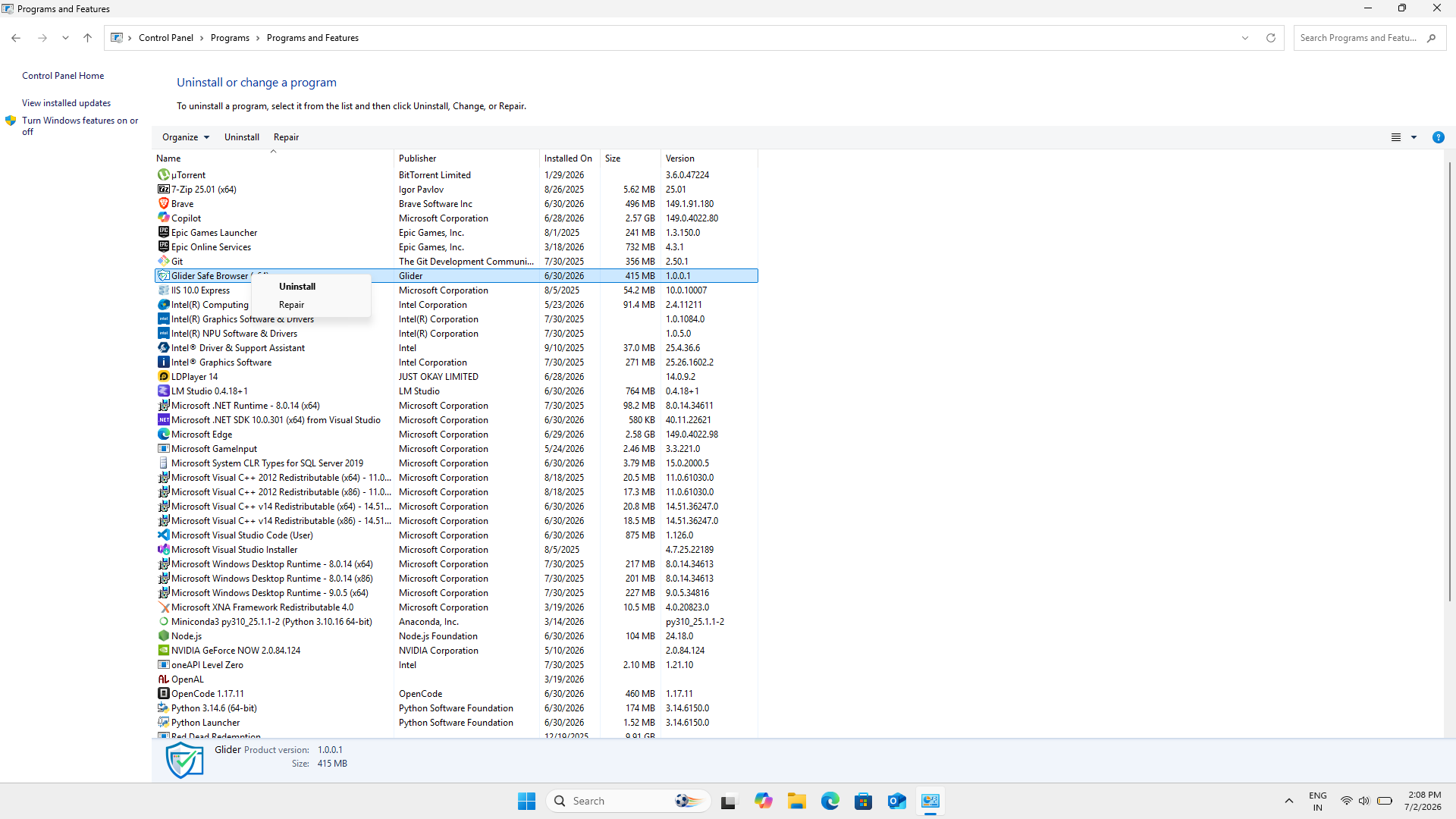
Right-click the application.
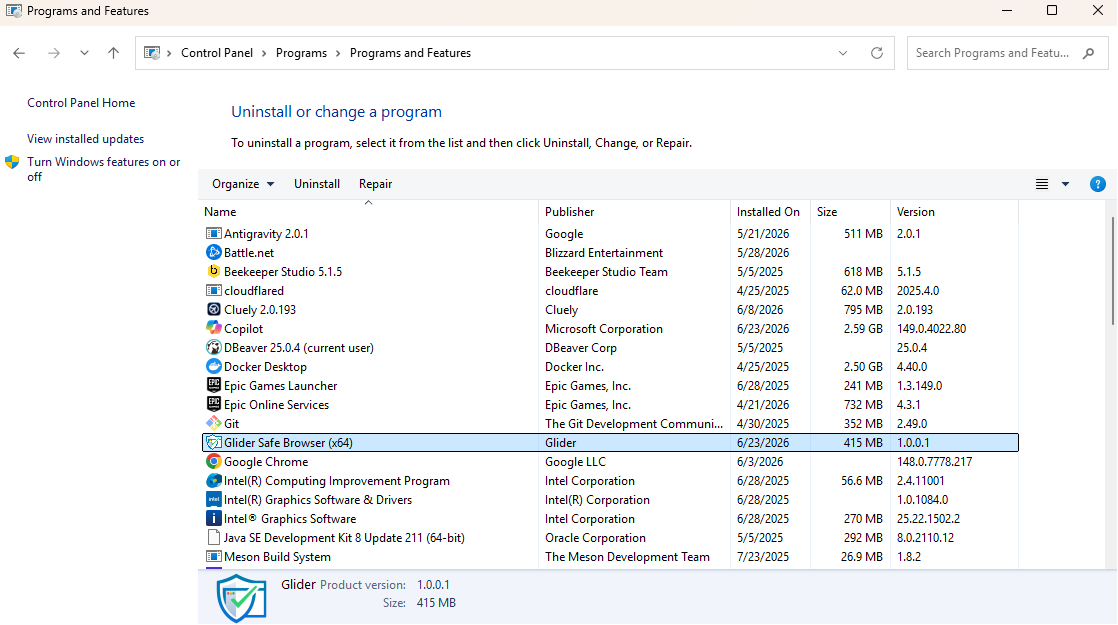
Click Uninstall from the context menu.
When prompted, click Yes to confirm the removal process.
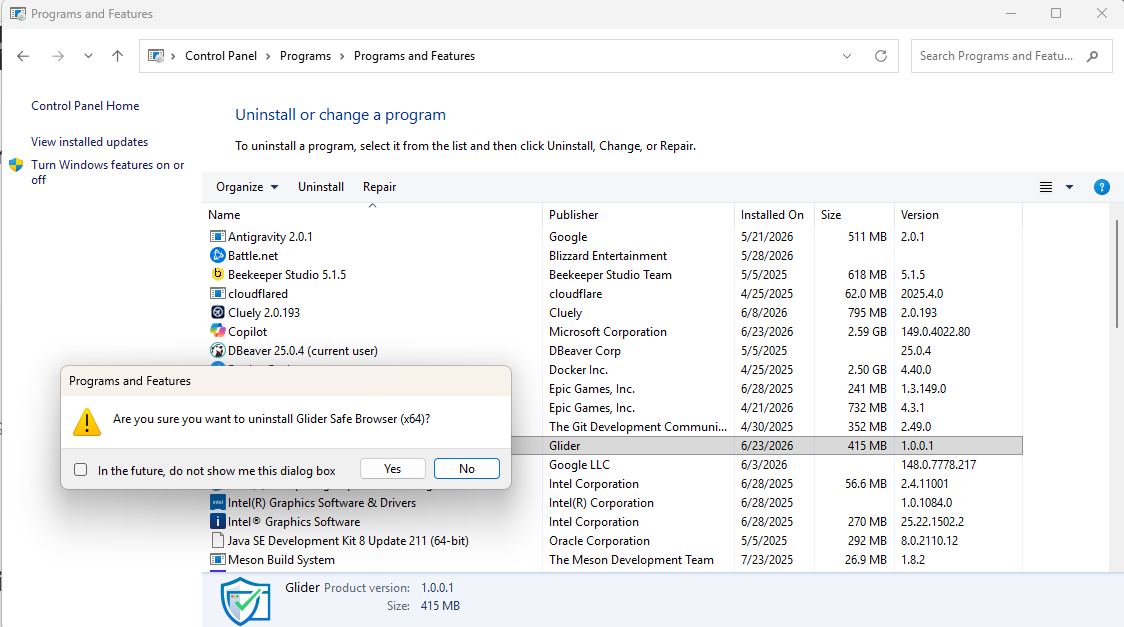
The system will remove Glider Safe Browser (GSB) from your computer.
Once the process is complete, a success message may be displayed, and the application will no longer appear in the installed programs list.
To verify that GSB has been successfully removed:
Open Control Panel → Programs and Features.
Confirm that Glider Safe Browser (GSB) no longer appears in the list of installed applications.
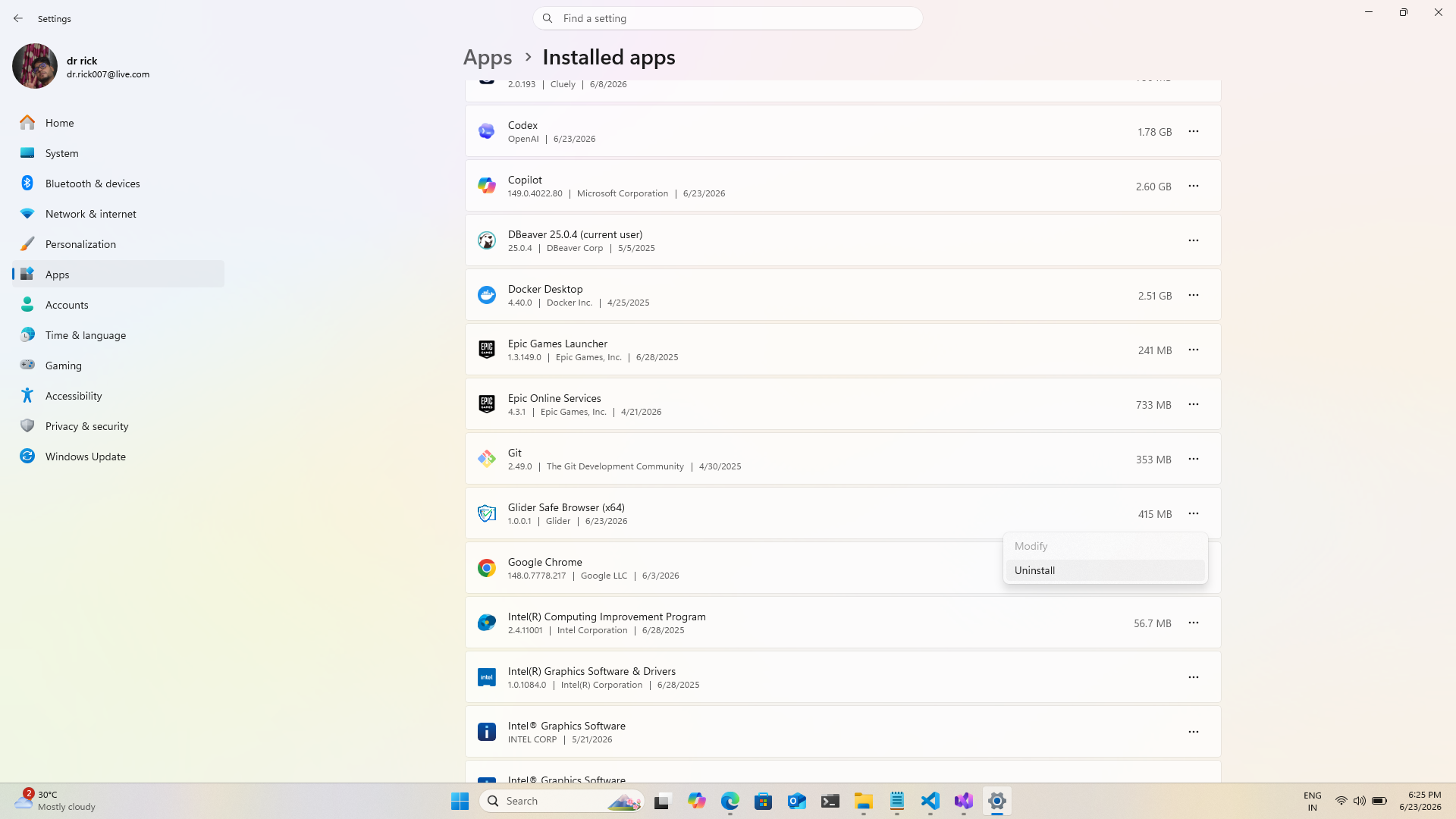
You can also uninstall GSB using Windows Settings.
Open Settings.
Navigate to Apps → Installed Apps (or Apps & Features).
Search for Glider Safe Browser (GSB).
Select the application.
Click Uninstall.
Confirm the action when prompted.
If Glider Safe Browser (GSB) is not visible:
Refresh the application list.
Restart your computer and check again.
Verify that the application was installed under the current Windows user profile.
If the uninstall option is unavailable:
Log in using an administrator account.
Contact your organization's IT administrator.
Ensure that no active GSB processes are running in Task Manager.
If the removal process fails:
Restart your computer.
Attempt the uninstallation again.
Temporarily disable software that may block application removal (if permitted by your organization's policies).
Run the uninstall process using an administrator account.
No. Uninstalling Glider Safe Browser (GSB) only removes the application from your device and does not impact records stored on the Glider platform.
Yes. You can reinstall the latest version of Glider Safe Browser (GSB) at any time using the installation package provided by Glider.
If you experience issues uninstalling Glider Safe Browser (GSB), contact Glider's support team and provide:
Windows version
GSB version (if known)
Any error messages displayed during uninstallation
This information will help the support team diagnose and resolve the issue more quickly.
Was this article helpful?
That’s Great!
Thank you for your feedback
Sorry! We couldn't be helpful
Thank you for your feedback
Feedback sent
We appreciate your effort and will try to fix the article