- You can use AI to generate interview questions in real time.
- During the interview, AI will suggest questions based on the job description, which can be shared directly with the candidate.
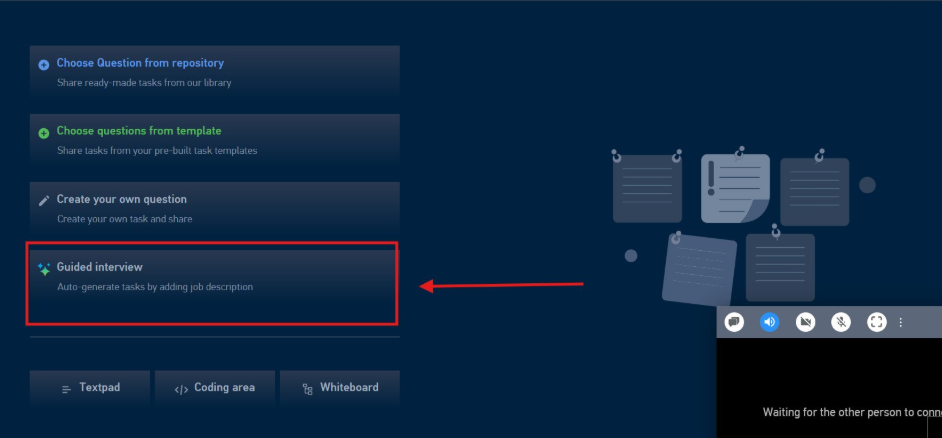
- Click on Guided Interview to generate the questions
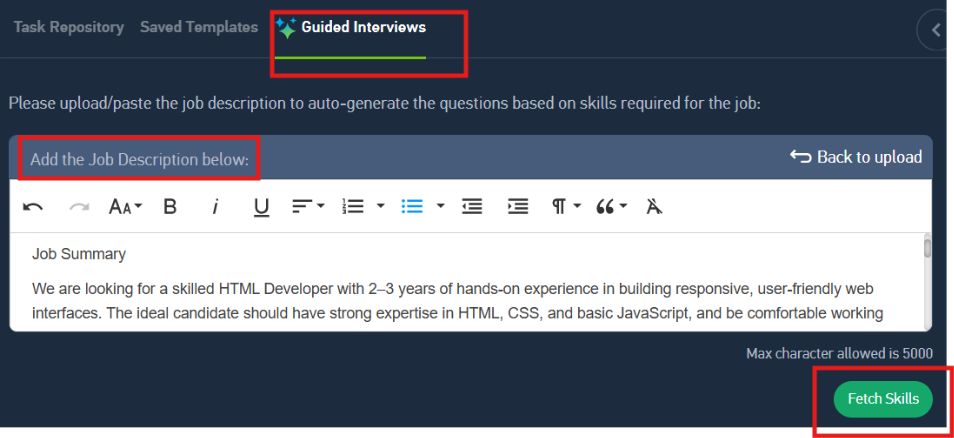
- You will have an option to either copy or paste the JD from word file Or else you can upload the JD through browse option
- Once done, you’ll need to click on the fetch skills
- This option of uploading the JD will be eliminated if the JD was already uploaded during the Summary creation or through the integration
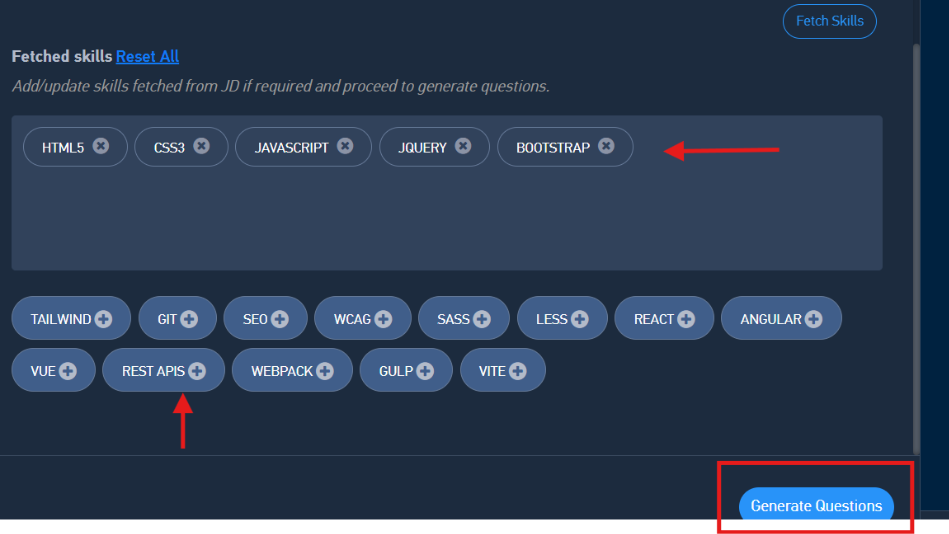
- You will have an option to add the skills or remove the skills
- Click on generate questions
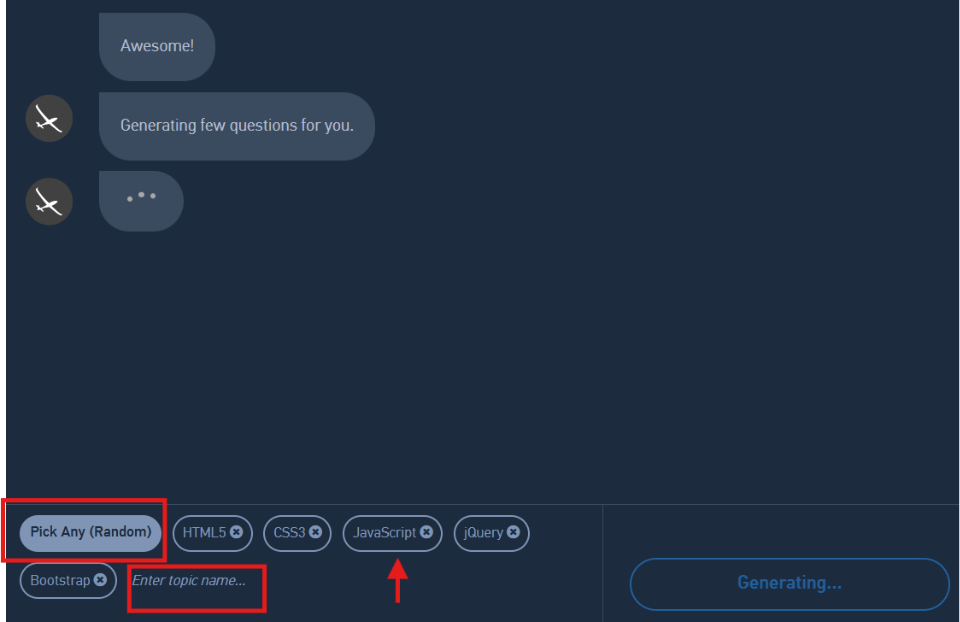
- AI will start generating the questions automatically based on the skills/work expereince added in the JD
- During this step you can add/delete any skills for the AI to generate the questions
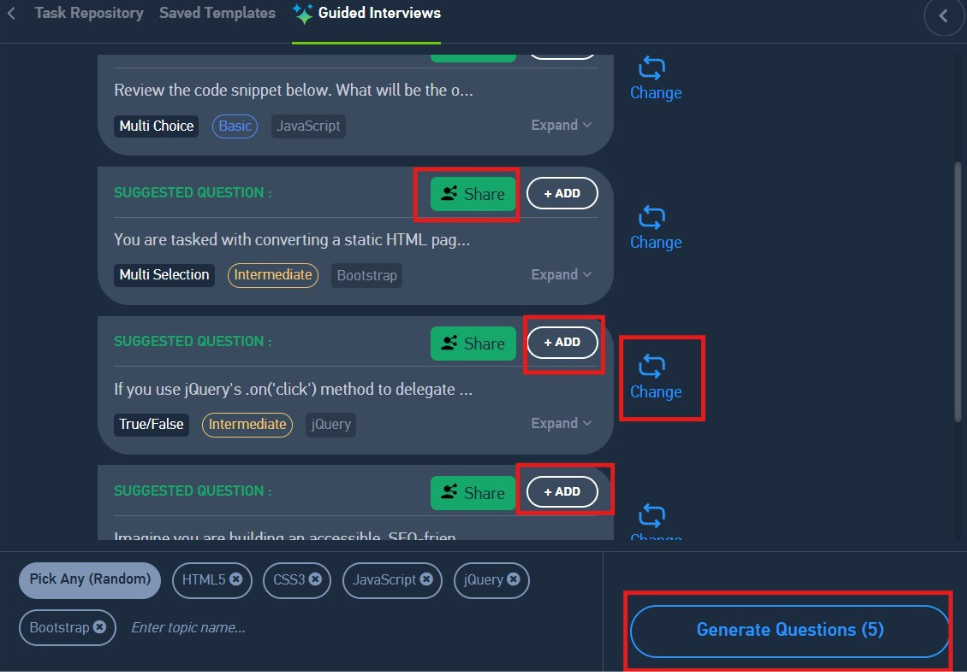
- Once the questions are generated, click on ADD to be added in the Active task list
- Or directly click on Share, to instantly share the same with the candidates
- If you want to change the question, click on change
- If you want more questions to be generated, click on generate questions.
Was this article helpful?
That’s Great!
Thank you for your feedback
Sorry! We couldn't be helpful
Thank you for your feedback
Feedback sent
We appreciate your effort and will try to fix the article