If a candidate’s interview link has expired, you can extend its validity using the following steps:
- Navigate to the Interviews section
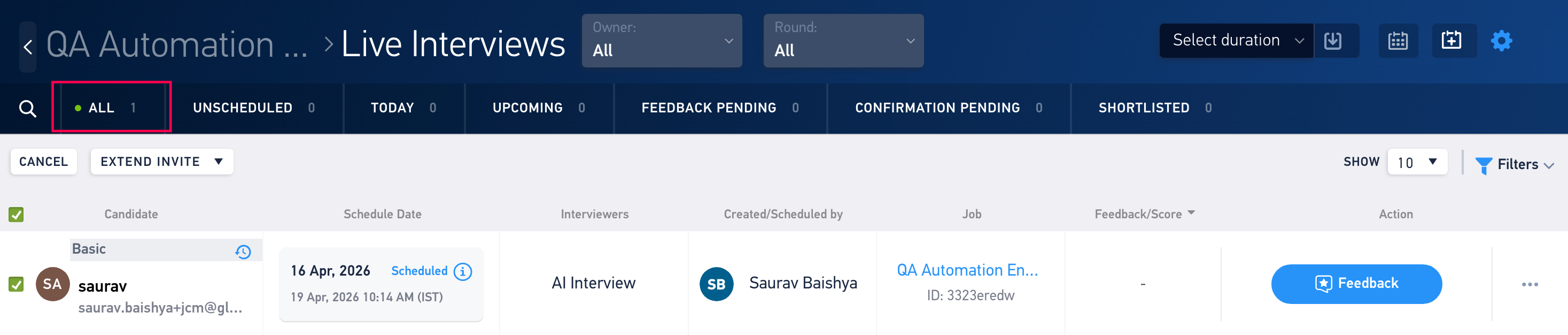
- Go to the All candidate tab.
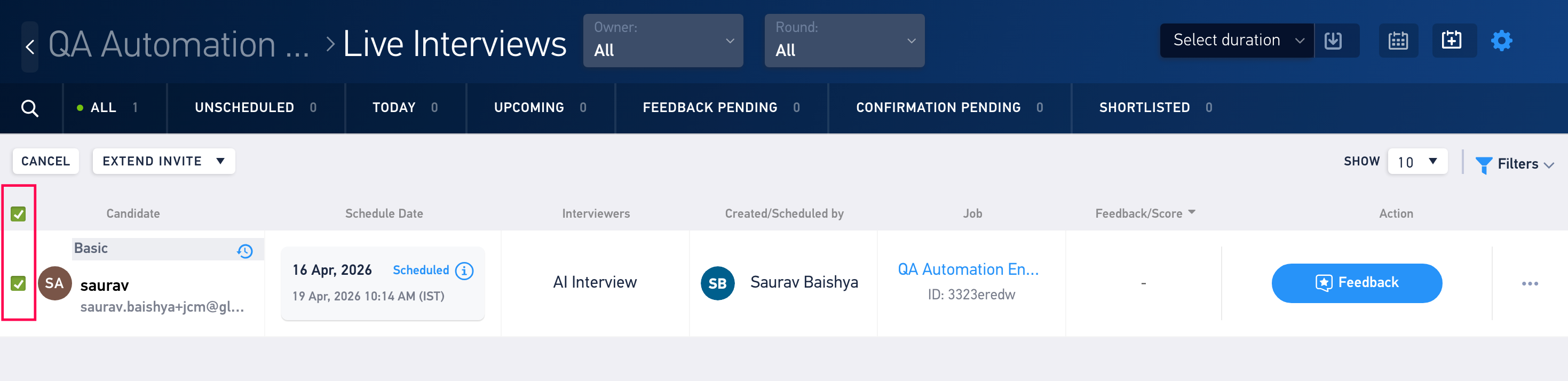
- Select the candidate.
- Click on Extend Invite
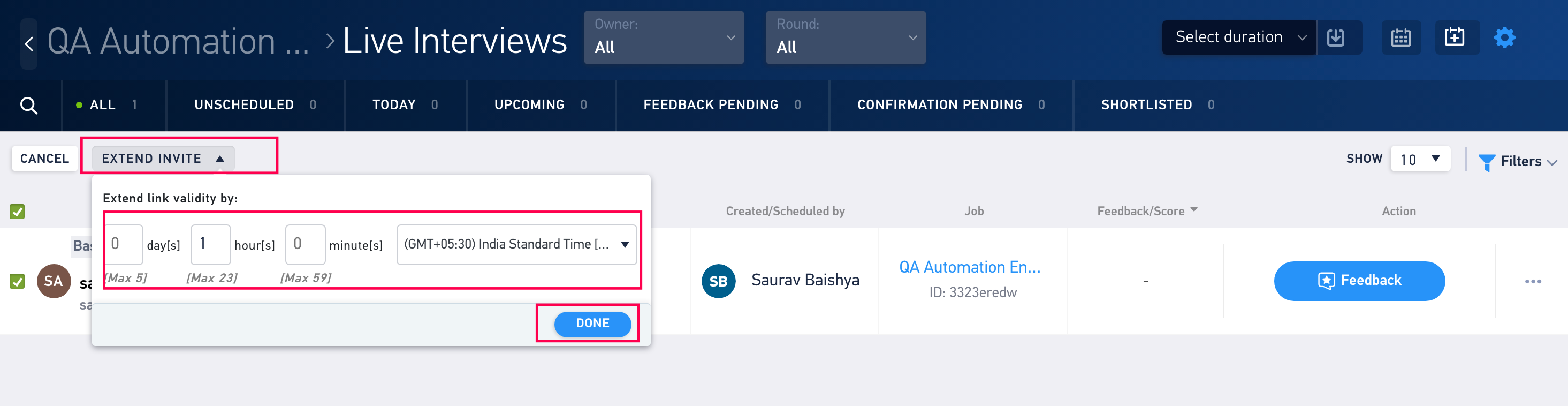
- Set the new validity and click on Done.
You have now successfully extended the link validity for the interview.
Was this article helpful?
That’s Great!
Thank you for your feedback
Sorry! We couldn't be helpful
Thank you for your feedback
Feedback sent
We appreciate your effort and will try to fix the article